SEOLYZERPRO
Access 209+ free online SEO tools, text converters, code generators, calculators, and checkers to boost your website performance.
Image Cropper Tool
Interactive Canvas Frame Selection, Standard Aspect Ratio Presets, Lossless Pixel Slicing, and Smart Focal Alignment Utility for Web Publishers, Content Creators, and Graphic Designers
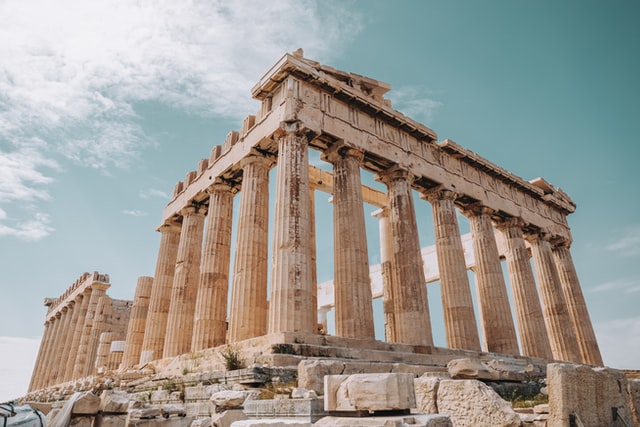








When tailoring photos for social media avatars, digital ad banners, or web site layouts, uncropped images often display unnecessary background clutter or incorrect aspect proportions. Cropping an image removes unwanted outer pixel areas from a graphic asset, refocusing the composition on the core subject while adjusting width-to-height dimensions to meet targeted media specifications.
Our Image Cropper Tool is an online utility engineered to trim and frame image files across custom bounding boxes or standard aspect ratio presets ($1:1$, $16:9$, $4:3$, $9:16$). Whether you need to crop a photo into a circular profile picture, prepare product shots for e-commerce galleries, or eliminate extra white space from scanned documents, this tool processes your images in real time directly within your web browser.
Understanding Image Cropping Mechanics
Cropping re-defines the bounding box coordinates of an image's pixel matrix to extract a sub-region array without distorting the underlying image content:
-
Bounding Box Coordinate Mapping:
The user defines an origin point $(X_{\text{start}}, Y_{\text{start}})$ along with a selected width ($W_{\text{crop}}$) and height ($H_{\text{crop}}$). The canvas extracts only the target coordinate matrix:
$$\text{Sub-Region} = \{ P(x, y) \mid X_{\text{start}} \le x < X_{\text{start}} + W_{\text{crop}}, \; Y_{\text{start}} \le y < Y_{\text{start}} + H_{\text{crop}} \}$$ -
Aspect Ratio Constraint Logic:
When locking aspect ratios (e.g., $R = W / H$), adjusting one boundary recalculates the opposing axis dynamically to maintain proportion without stretching:
$$H_{\text{crop}} = \frac{W_{\text{crop}}}{R}$$ -
Lossless Sub-Array Extraction:
Unlike resizing—which resamples pixel values across the entire matrix—cropping simply isolates specified pixel indices, preserving native pixel resolution, color fidelity, and sharpness.
Transformation Example:
-
Source Input File:
-
File Name:
group-photo.jpg($3840 \times 2160$ px landscape) -
Issue: Subject is centered, but extra side background reduces visual emphasis.
-
-
Cropped Output File:
-
Action Applied: Square Crop ($1:1$ Aspect Ratio Preset)
-
Output File:
group-photo-cropped.jpg($1080 \times 1080$ px square) -
Effect: Focused tightly on primary subject with zero distortion or pixel stretching.
-
Image Cropping vs. Image Resizing Comparison Table
| Property / Feature | Image Cropping | Image Resizing | Operational Difference |
| Pixel Data Effect | Discards unselected outer pixels entirely | Keeps all original content, altering pixel density | Spatial trimming vs. matrix scaling |
| Aspect Ratio Impact | Freely changes canvas aspect ratio | Usually maintains overall original aspect ratio | Changes composition framing |
| Subject Focus | Highlights and magnifies target subjects | Keeps whole picture view at different scale | Composition correction vs. file sizing |
| Distortion Risk | Absolute $0\%$ risk of image stretching | Risk of stretching if aspect locks are disabled | Content structural preservation |
Common Applications and Use Cases
1. Social Media Avatar & Header Fitting
Crop portrait photos into $1:1$ square frames for profile avatars or $16:9$ horizontal frames for banner covers across LinkedIn, X, and YouTube.
2. E-Commerce Product Thumbnail Standardization
Crop vendor product photos to consistent square dimensions so product grids and catalog thumbnails align evenly across website pages.
3. Trimming Document & Receipt Borders
Remove dark edges, desktop backgrounds, and unnecessary borders from mobile camera scans of documents, receipts, and invoices.
4. Rule-of-Thirds Composition Improvement
Refocus photographic compositions by trimming off-center distractions and re-centering key visual elements along grid intersections.
How to Use the Image Cropper Tool
Cropping your graphic takes just a few simple steps:
-
Upload Image File: Drag and drop your image file (
.png,.jpg,.webp,.gif) or click to choose a file from your device. -
Set Crop Area: Drag the selection box handles over the image, or select a predefined aspect ratio preset ($1:1$, $4:3$, $16:9$, $9:16$).
-
Fine-Tune Frame: Move or adjust the box to lock in your desired composition.
-
Download Cropped Image: Click Download Cropped Image to save your freshly framed graphic file instantly.
Benefits of Our Online Calculation Tool
-
$100\%$ Client-Side Privacy: All image slicing and coordinate calculations occur locally within your web browser—your uploaded photos are never sent to or stored on external cloud servers.
-
Exact Pixel Control: Allows manual entry of target pixel dimensions for precision cropping to exact pixel requirements.
-
Alpha Channel Preservation: Retains full PNG and WEBP background transparency without injecting solid background fills.
-
Universal Format Support: Works seamlessly across PNG, JPEG, WEBP, GIF, and BMP formats.